Production orders still on paper: the small manufacturer who doesn't know if they're late (until the customer calls)
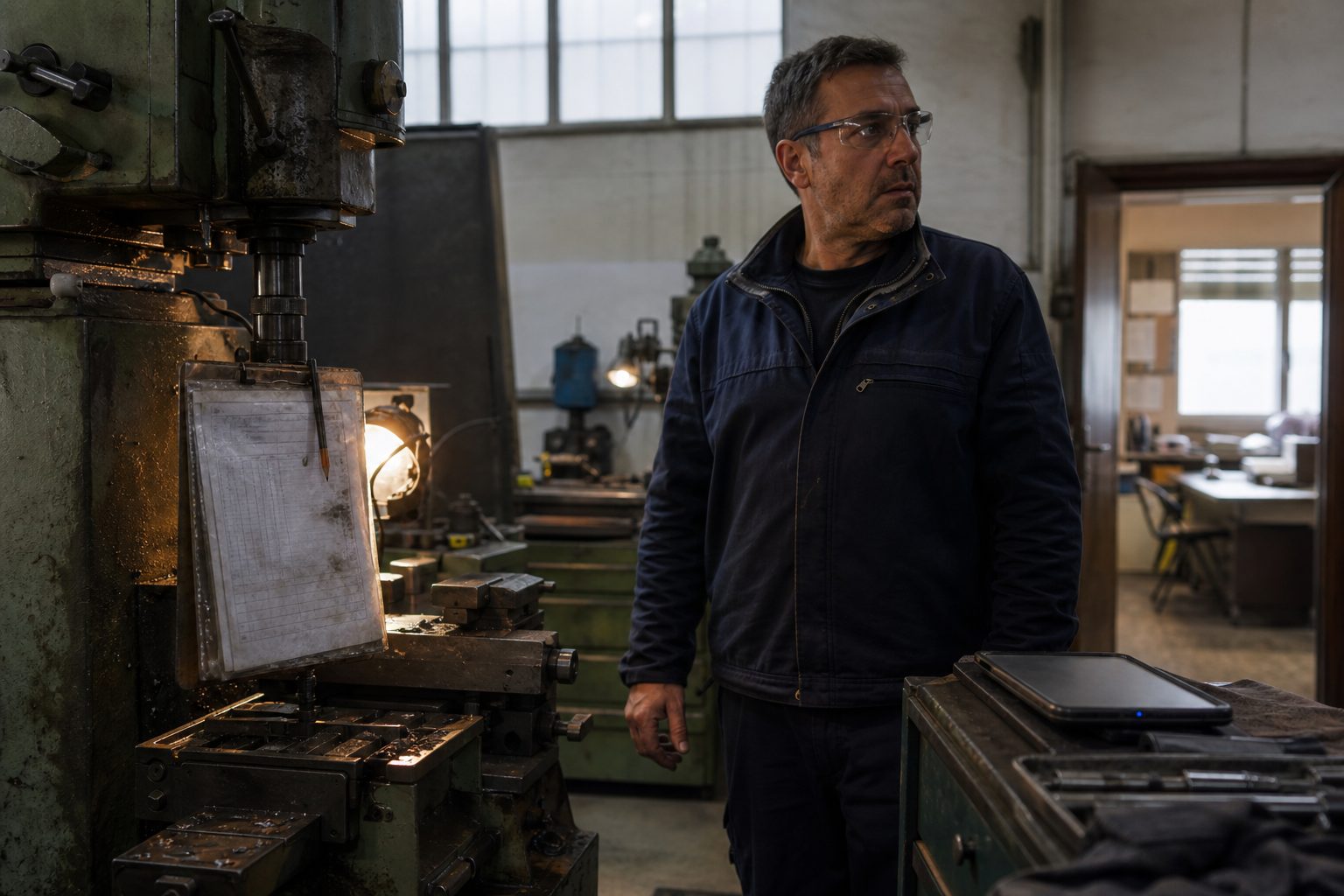
“What’s the status of the order?” — and nobody really knows
In many small manufacturing companies the scene is this. In the workshop, production orders are sheets of paper: the traveller accompanying the piece, the order hung on a whiteboard, the department head’s notebook. In the office, there’s an Excel that someone updates when they have time, usually late and from memory. And between the two worlds — the workshop that produces and the office that sells and plans — there’s a wall: nobody knows, in real time, what the real status of the orders is.
So, when the owner or the sales rep asks “what’s the status of customer X’s order?”, the answer is a runaround: someone goes to the workshop, asks the department head, who looks at the sheet, which maybe isn’t updated, and comes back with a “it should be almost ready”. Should be. The truth is you don’t know if an order is late until the customer calls to complain — and at that point it’s too late to fix it, and a penalty and reputation are on the line.
This article is for small and medium manufacturing — workshops, laboratories, make-to-order productions — that still work between paper and Excel and want to know, at any moment, how orders are going. Let’s see what the department head must see and what the owner must see (they are two different screens), how the statuses of an order are modeled, why it’s not a SAP but a flow, how this data saves the sales rep from over-promising, and how to start from a pilot department without stopping production.
The sheet in the workshop and the Excel in the office: two worlds that don’t talk
The root of the problem is the disconnection between those who produce and those who plan. In the workshop the data is true but prisoner of paper: the department head knows perfectly well the status of every piece, but that knowledge lives on the traveller and in their head, it doesn’t reach the office unless someone goes to ask. In the office the data is accessible but old and from memory: the Excel says what someone wrote in it last time, which is not what is happening now in the department.
The result is that the company has two versions of reality, out of sync. And every decision — accepting a new order, promising a date, telling a customer “it’s ready Thursday” — is taken on the old Excel, while the truth is in the workshop, on paper. It’s the same pattern of the data prisoner of paper we see for field technicians or the stock that says different things in different systems: the knowledge is there, but it’s not where it’s needed, when it’s needed.
The solution is not an enterprise management monster. It is ensuring that progress is recorded where it happens — in the department, by the department head or the operator, with a few taps — and becomes immediately visible in the office. The piece passes from one phase to another? A tap, and the office knows. No more running around to ask, no more Excel from memory.
The two screens: the department head and the owner
Like anything touching operations, there isn’t just one screen. Those in the department and those in the office look at different things, and two views on the same truth are needed.
The department screen is essential and robust, designed for the workshop — where there are dirty hands, noise, little time. It shows the orders being processed in that department, what phase they are in, what’s in the queue, and allows advancing an order (phase completed, piece passed to the next department) with a few taps, maybe from a tablet on the machine. The department head doesn’t need the picture of the whole company: they need their department, clear and fast to update. If updating is slower than writing on the sheet, they will go back to the sheet — the same rule of every internal app: if it’s slower than paper, it has lost.
The owner’s (and sales rep’s) screen is for vision: all orders, what status they are at, which ones are late or at risk, when they will be ready. In twenty seconds the owner knows if the week is under control or if there’s an order slipping. And the sales rep, before promising a date to a customer, looks at the real load of production instead of blurting out a date by gut feeling.
Same truth underneath — the progress of orders — two views on top: operational for the department, control for management. It’s the pattern that returns in all internal apps, from dashboards to warehouse: one source, many views.
There is often a third view worth mentioning: that of the customer. In some productions it makes sense to give them the ability to see the status of their order — “in processing”, “in testing”, “shipping” — without having to call. It’s the same self-service of the customer portal: it removes calls to the office and gives the customer the peace of mind of knowing, which in a supply relationship is worth a lot. It’s not always needed, but when customers call continuously to know “what’s our status”, it’s an elegant way to make those calls disappear.
Order statuses: the flow, downtimes, parts
The heart of a tracking system are the statuses: the phases an order goes through, from order to delivery. Modeling them well is the real job, because they must reflect how you actually produce, not a theoretical textbook flow.
Typical statuses: to do, in progress (by department/phase), waiting (for a material, for an approval, for a piece from a subcontractor), completed, shipped. But the true value is in managing exceptions, because real production is made of hiccups:
- Downtimes: the order stopped because a material is missing, because a machine is broken, because it’s waiting for a piece from an external supplier. A tracked downtime is a problem you see while it happens and you can manage; an untracked downtime is a delay you discover at the end.
- Parts and materials: what is needed for that order, what is there, what is missing. Knowing a material is missing before starting (not halfway through) avoids blocking a piece when processing has begun.
- Priorities: which orders come first, and what happens when an urgency arrives. A system showing queues helps decide what to move without sending the department into chaos.
An observation from the field: in most small manufacturing, the bulk of the delay isn’t in the processing time — it’s in the waiting time. The order spends more time stopped (in queue for a department, waiting for a material, at the subcontractor, waiting for approval) than in actual processing. That’s why tracking downtimes and waits, not just processing, is so important: that’s where the delay hides, and that’s where, once visible, you can intervene. A system that only tracks “in progress / done” and ignores waits sees half the problem.
Modeling these statuses and exceptions well is what makes the system useful instead of another place to update. It’s the same principle of the data model under every app: if statuses don’t reflect your real production, with its exceptions, the department head finds the case that doesn’t fit and goes back to the sheet.
What to record in the department (and what not to)
An important warning, because it’s the mistake that makes these projects fail: do not track everything. There is always someone who, enthusiastically, wants to record every single operation, every minute, every movement — the dream of “total data”. In a small manufacturer it’s the recipe for failure: if you ask the department head to record twenty things for every piece, they won’t do it, or they’ll do it badly and late, and the data will be worse than paper.
The rule is to record the minimum needed to answer the questions that count: what’s the status of the order, is it stopped and why, when will it be ready. Few statuses, few taps; the rest is added only if it’s really needed and if it doesn’t burden whoever records. Better a coarse-grained tracking that everyone updates, than fine tracking nobody maintains. It’s the same principle of the few screens that remove friction: perfect precision that nobody maintains is worth less than an honest approximation that is always updated.
It’s not a SAP: it’s a flow
Here the biggest fear must be dissolved: “to manage production you need an MES, a production ERP, huge and expensive stuff”. For a small manufacturer, almost always no. An enterprise MES is designed for plants with hundreds of machines, integration with PLCs, sophisticated automatic scheduling. If your problem is knowing the status of orders and not discovering delays from the customer, an MES is a bazooka for a mosquito: it costs a fortune, takes months (sometimes years) to implement, and forces you to change how you work to adapt to it.
What you need is not a system that controls production: it’s a system that makes it visible. A simple flow — orders, statuses, progress recorded in the department and visible in the office — solves 90% of the pain (the delays you don’t see) without the complexity of an MES. It’s the same logic of the premature WMS for the warehouse: first visibility, then — if and when volumes justify it — advanced optimization, on an already ordered base. Starting from the MES is putting the cart before the horse (and spending ten times as much for problems you don’t have yet).
The data that saves the sales rep from over-promising
There is a point where this system pays for itself: the delivery date. Today, without visibility on production, the sales rep promises dates by gut feeling — or worse, promises what the customer wants to hear, to close the order. Then that date arrives in the workshop as a fait accompli, clashes with an already full department, and becomes a delay. The sales rep has “sold”, but they have sold a delay, which turns into an angry customer and sometimes a penalty.
With visible order tracking, the sales rep has the real load of production in front of them before promising: how many orders there are, when capacity frees up, how long it really takes for an order like that. They can still accept an urgency, but knowing what it entails (what slips, what goes into overtime), not blindly. Promising a date becomes an informed decision, not a bet. And this changes the relationship with customers: better to say “I’ll deliver on the 15th” and respect it, than to say “the 5th” to make the customer happy today and disappoint them on the 6th.
This is the most concrete ROI: fewer delays, fewer penalties, fewer bad impressions, because promised dates are anchored to the reality of production instead of the sales rep’s hopes.
A concrete example: an urgent order arrives. Without visibility, the sales rep says yes and promises ten days, hoping. With tracking in front of them, they see the key department is full for two weeks and have an informed choice: honestly say “fifteen days”, or accept the ten knowing exactly what must slip or go into overtime to make it. In both cases they decide with facts, not with hope — and the customer receives a promise that will be kept, which is worth infinitely more than an optimistic promise consistently broken.
How much it costs not to see delays
It’s worth focusing on how much it costs not to see delays, because it’s a cost that hides well. There’s the contractual penalty, the most visible: many industrial customers include it, and it’s money going straight out. There’s reputation: a supplier delivering late, repeatedly, is a supplier the customer begins to replace — and losing an industrial customer is worth much more than a penalty. There’s emergency overtime: the order you discover late at the last minute you recover by having someone work in a rush, often in overtime, at an increased cost. And there’s the cost of wrong choices: without seeing the load, you accept orders you can’t honor on time, and every “yes” too many becomes a chain delay.
The point is that none of these costs appear in an accounting line reading “production delay”. They hide in scattered penalties, in customers slowly ordering less, in overtime. Making them visible — with the on-time delivery KPI — is already half the value: when you measure how many orders you deliver on time, you begin to be able to improve it.
A typical case: from paper traveller to respected dates
A typical profile, architectural, no names. Small make-to-order manufacturing, about twenty people, three departments. Production orders on paper travellers, tracking on an Excel updated at end of day (when there was time). The owner discovered delays from customers; the sales rep promised dates looking at the old Excel, and a couple of times a year a penalty arrived for a missed delivery.
What was done. First the real statuses were mapped with the department heads: phases, typical downtimes (missing material, subcontractor, approval). Then a simple flow: every order with its status, progress recorded in the department from a tablet with a few taps, and two screens — one for the department, one for the owner and sales rep. Started from a pilot department.
After: the office knows in real time the status of orders, without going to ask. The sales rep promises dates looking at the real load, and “surprise” delays have almost disappeared — when an order slips, it’s seen beforehand and the customer is warned, instead of discovering it at the deadline. With the usual note: the value wasn’t “digitizing production”, it was making a piece of information visible (what’s our status) that was previously prisoner of paper and the department heads’ minds.
Go-live in a pilot department
The way to introduce a system like this follows the usual rule: no big bang across the whole factory. You start from a pilot department — better one with a collaborative department head — and there you fine-tune everything: the right statuses, the fast-to-update screen, the typical exceptions. When that department works and the tracking truly arrives in the office, you add the next department, bringing along the lessons learned.
This approach has two advantages. First, you don’t stop production: the pilot runs in parallel with the old method until it’s solid. Second, you turn the pilot department head into an ally — they are the ones who, having helped tune it, speak well of it to the others. In a factory, adoption is done by department heads: if the first experiences it as a help (fewer calls from the office, fewer “what’s our status?”), the others accept it; if they experience it as top-down surveillance, they sabotage it by recording poorly.
Integration with ERP and warehouse
A tracking system doesn’t live isolated: full value arrives when it connects to two things. To the ERP, because the order is born from a customer order and ends in a delivery and an invoice: if tracking and order are disconnected, you recreate the double work of re-transcription. And to the warehouse/stock, because an order consumes materials: knowing what’s needed, what’s there and what’s missing before starting is what avoids downtimes for missing material. It’s the same theme of stock as single truth: production and warehouse are two sides of the same flow, and must be connected or they remain two separate lies.
You don’t need to integrate everything on day one — you can start with just tracking visibility and connect ERP and warehouse in layers. But the design must account for it from the beginning, or you build another isolated silo.
KPIs: on-time delivery and queues
How do you know if you’re improving? Two numbers, above all.
- On-time delivery: how many orders you deliver by the promised date. It’s the number your customers feel, and it’s the one that protects reputation and avoids penalties. Before, you probably didn’t even measure it; with tracking, you see it and improve it.
- Queues and lead times: how much time an order spends in processing and how much stopped waiting. Often it’s discovered that the bulk of the delay isn’t processing, it’s waiting — for a material, for an approval, for a busy department. And waiting, once visible, can be reduced.
These numbers transform production from “let’s hope we make it” to governed: you know where delays accumulate, what to act on, if the week is under control. It’s the same leap from deciding by gut to deciding on numbers I talk about for dashboards, brought into the workshop.
Where to start
If we decided to start, the first step isn’t buying software: it’s mapping the real statuses with those who produce. Sit with the department heads and draw the true flow of an order: the phases, the points where it usually stops, the exceptions that happen. This — not a manual — is the model on which the system is built, and nobody knows it better than those in the department.
The second step is looking at the last few months: how many orders have you delivered late? How many penalties? How many times did you discover a delay from the customer instead of in advance? That light audit tells you if the problem is real and how much it weighs, and it is the baseline to understand, afterwards, if the system worked. You start from how you produce, department by department — not from a software demo.
It’s for you if / it’s not for you if
It’s for you if: you make-to-order and manage production orders between paper in the workshop and Excel in the office; you discover delays when the customer calls; the sales rep promises dates that production can’t meet; nobody knows in real time the status of orders.
It’s not for you if: you have very few orders and keep them perfectly in mind; you produce to stock with a few standard products and without orders (another topic); you are a large factory with hundreds of machines that really needs a complete MES with automatic scheduling — there the topic is another.
Frequently asked questions
Do I need an MES or a production ERP? Almost never, for a small manufacturer. An MES is designed for large plants and costs and weighs accordingly. You need tracking visibility — a simple flow of statuses recorded in the department and visible in the office — not a system that controls every machine. The MES, if ever, comes later, on an already ordered base.
Will the department head really update the system? Yes, if updating is faster and more useful than keeping the sheet: a few taps, from a tablet in the department, and in exchange fewer phone calls from the office asking “what’s our status?”. If it’s slower than the sheet, no. This is why the department screen must be designed with them, for their reality, and run in on a pilot.
How do I manage subcontractors and external processing? As an “external wait” status: the order goes out, is tracked as out for processing, and comes back in. This way a piece at the subcontractor doesn’t “disappear” from sight, and you know which orders depend on an external return — often one of the main causes of delay.
How long to get started? A pilot department is set up in a few weeks, if statuses and flow are clear. Then other departments are added and ERP and warehouse are connected in layers. Better a department that works than the whole factory halfway.
What if every order is different from the other? It’s the norm in make-to-order production, and it’s not a problem: the statuses (to do, in progress, waiting, completed) are the same even if the content changes. The system tracks progress through the phases, not the technical details of every piece — those remain in the drawing and the traveller. Visibility of “what’s our status” is needed, not the digitization of every process.
Do I have to fill the workshop with tablets and screens? Often a shared tablet per department, or the department head’s phone, is enough. You don’t need to wallpaper the workshop with terminals: you need a convenient way, within reach of workers, to advance orders with a few taps. The investment is in the flow, not the hardware.
How do I involve department heads without them experiencing it as control? By presenting it for what it is: fewer phone calls from the office asking “what’s our status?”, and their estimates finally respected because the sales rep promises on the real load. Involve them in designing the statuses (they know production better than anyone) and start from the department of the most collaborative. A department head who sees fewer interruptions and fewer unfair blames for delays that aren’t theirs adopts it willingly.
Do the data (orders, tracking, history) stay mine? Yes. Orders, statuses, history and production times remain yours, no lock-in. Tracking history is precious: it tells you where delays accumulate and how much it really costs to produce a certain thing.
In one line
If production orders live between paper in the workshop and Excel in the office, you don’t know if an order is late until the customer calls — and at that point penalty and reputation are at stake. You don’t need an MES: you need a flow that makes tracking visible, recorded in the department and visible in the office, with two views (department head and owner), statuses and downtimes reflecting your production, and data saving the sales rep from promising impossible dates. You start from a pilot department, without stopping anything.
If you want to understand how to make your orders visible — without a large factory system — look at the projects I’ve built or drop me a couple of lines: we start from how you actually produce, department by department, not from catalog software.
Antonio Trento — System Architect & AI Integrator
Is this your problem?
I design and build data, backend, interface and AI agents end-to-end. No slides: systems that run and stay yours.
You might also like
Three warehouses, one e-commerce, the reps: three 'truths' about remaining stock and orders you can't fulfill
If the site, the ERP and the reps state three different stock levels, you sell what you don't...
Read
200 copy-pastes a day: the real cost of 'Maria handles it' (and the internal app she'll hate if you build it badly)
'Maria handles it' — but what does daily copy-paste between Excel, email and the ERP really cost? And...
Read