200 copy-pastes a day: the real cost of 'Maria handles it' (and the internal app she'll hate if you build it badly)
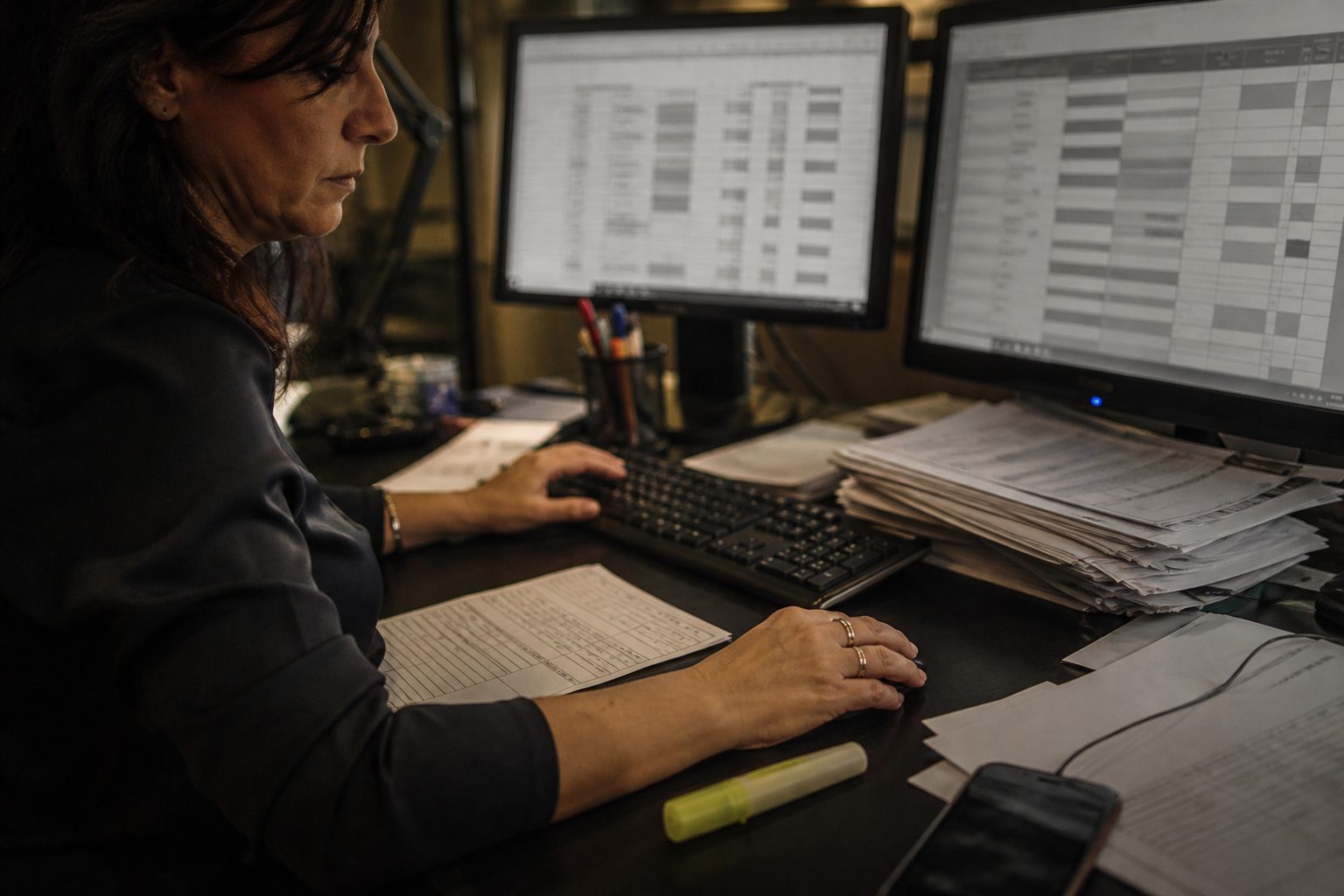
“Maria handles it”: the most expensive sentence in your company
In every company that works there is a Maria. She isn’t necessarily named Maria, but you know who she is: the person who holds the pieces together. She takes the order that arrives by email and copies it into the gestionale. She copies the customer’s data from the gestionale onto the shipping spreadsheet. She updates the availability table by hand. She writes on WhatsApp to the warehouse, waits for the photo, transcribes it again. Every day, dozens and dozens of times, she moves the same information from one place to another because the systems don’t talk to each other — and she is the bridge.
As long as Maria is there, everything runs. She’s efficient, she’s reliable, she doesn’t complain. And that’s exactly why the problem is invisible: nobody sees it as long as Maria is there. The sentence “Maria handles it” is the most reassuring and the most expensive in your company, because it hides two enormous costs — the hours that go into copy-paste and the fragility of a process that lives in the head and the fingers of a single person.
This article is for anyone who has one or more “Marias” and is starting to suspect that that invisible work costs more than it looks. Let’s do the real count, in euros. Then we face the uncomfortable part: why so many internal business apps designed to help Maria end up hated and bypassed — and how you build an internal tool that people want to use, because it simplifies their day instead of adding one more login to fill in.
The count: 200 copy-pastes a day, in euros per year
Let’s put numbers on it, declared as estimates but honest and reproducible on your company. “200 copy-pastes a day” is not an exaggeration: try counting how many times, across everyone in the office, a piece of data is moved by hand from one place to another in a day. Orders recopied, addresses pasted again, availability updated, statuses changed by hand, emails transcribed into the gestionale. You get to 200 quickly, even in a small company.
Each single action lasts a few seconds, and that’s exactly what makes it invisible. But the few seconds add up. Let’s make a cautious estimate:
| Item | Estimate |
|---|---|
| Copy-paste / retyping actions per day | 200 |
| Average time per action (including finding the data, checking it) | ~45 seconds |
| Total time per day | ~2.5 hours |
| Working days per year | ~220 |
| Hours per year | ~550 hours |
| Fully loaded hourly cost | 22–30 € |
| Annual cost of copy-paste | ~12,000–16,000 € |
Twelve to sixteen thousand euros a year, to move by hand information that computers could move on their own. And this is only the direct cost, the hours. We haven’t yet counted the errors: a wrong address in the retyping, an order copied with the quantity off, a piece of data updated in one place and not in the other. Every data-entry error is a return, a lost shipment, an angry customer — and it costs far more than the seconds it took to generate it.
Let’s put a number on the errors too, because it’s the line item people underestimate most. One error every 200 actions is enough — a very low, optimistic rate — to make one error a day. A wrong address is a shipment that comes back (courier paid twice, plus the time to redo it); a wrong quantity is a return or a customer who receives less than they should. Put even just 30–50 € of average cost per error, one a day, 220 days: that’s another 7,000–11,000 € a year on top of the hours. Copy-paste doesn’t only cost the time you spend on it: it also costs the messes it generates, and those often weigh more than the hours.
And there’s the third line item, the one you don’t measure but you pay: fragility. All this work lives in Maria’s head. When she’s on holiday, the process slows down or stops. When she’s sick, someone improvises. When one day she leaves, you notice that half of “how the company works” has left with her, because it wasn’t written down anywhere: it was in her habits. You’ve built operations on a single person, and you don’t realize it until she’s missing.
If this reasoning about hidden hours and errors sounds familiar, it’s the same principle as the cost of inertia you pay when you decide by gut feel: a real cost that doesn’t appear on any invoice, but it’s there, every month.
A typical case: from email to the gestionale without retyping
A typical profile, architectural, no names. Small trading company: orders arrive by email — PDF, text, sometimes the photo of a fax — and one person recopied them all into the gestionale, one by one, eight hours a day at peaks. Quantity errors, wrong addresses, orders lost in the inbox. When she was on holiday, orders piled up and shipments slipped.
What was done. First they looked at how she actually worked: which suppliers send what, where the data is, which exceptions recur. Then an app with a few screens: a queue of incoming orders, automatic recognition of recurring data (customer, usual items) already pre-filled, confirmation in one click, status at a glance. Not a new gestionale: a layer on top of what was already there.
After: time per order collapsed, because the person checks instead of transcribing. Retyping errors practically gone — the data isn’t retyped, it’s confirmed. And above all, when she’s on holiday, a colleague opens the same queue and works, because the “how you do it” is no longer in her head: it’s in the app. The value wasn’t “a piece of software”: it was stopping retyping and stopping depending on a single person. With the usual honest note: the first two weeks were grumbling (“I was faster my way”), then the queue became the place everyone looks to see what’s to be done.
Automate or give a tool: two different levers
Before building any screen, there’s an upstream question: should this copy-paste be made faster, or eliminated altogether? They are two different levers. Sometimes the data Maria recopies could pass on its own from one system to another — an integration, and the copy-paste disappears, you don’t even need the screen. Other times you need a human eye (the order has to be interpreted, checked, corrected), and then the right lever is to give that eye a fast tool, not to remove it.
The rule: automate where the data is clean and the rule is clear (no human judgment needed); give a tool where you need a person who decides. The mistake is choosing the wrong lever — putting a person to confirm by hand things that could have passed on their own (waste), or automating blindly cases that required judgment (errors in avalanches). A serious data-entry automation project distinguishes the two things case by case, and that’s why it starts from looking at the real work, not from buying a generic tool.
Why Excel and WhatsApp beat ugly software
At this point the obvious reaction is: “so let’s buy software that does it instead of Maria”. Right in principle, but this is where it falls apart, and it’s why so many custom gestionale software projects fail. Because in the vast majority of cases, the software they buy is worse than the copy-paste it was meant to replace.
Stop a moment on an uncomfortable truth: Excel and WhatsApp win for a reason. They’re immediate. They don’t force you to learn anything. They do exactly what you want, right away, without three clicks and five mandatory fields. Maria uses Excel and WhatsApp not because she’s backward, but because they’re the fastest tools she has. The day you give her a gestionale with a hundred screens, fields she doesn’t need, a flow that doesn’t reflect how she actually works, and three steps to do what she used to do in one, she does the most rational thing in the world: she goes back to the spreadsheet. And your expensive software becomes a duplicate that nobody updates.
This is trap number one of internal apps: if your tool is slower and uglier than the spreadsheet, you’ve already lost. It doesn’t matter how powerful it is, how many functions it has, how “complete” it is. If it slows the person down, the person bypasses it. The yardstick of an internal app isn’t the feature list: it’s whether it saves time for the person who uses it, from day one. Everything else is theatre.
The right internal app: 5 screens, not 50
So what does an internal app that Maria will actually use, and gladly, look like? The answer is almost always the same: few screens, the ones that matter, designed around how she works. Five, not fifty.
Take the classic case — the order that arrives by email and has to go into the system. The right app isn’t a huge gestionale. It’s a few essential screens:
- The incoming queue: the emails/orders to work, in a list, with the urgent ones on top. Maria opens the app and immediately sees what’s to be done, without hunting for it in ten places.
- The detail with data already pre-filled: when she opens an order, the customer data is already there (because the system recognizes it), not to be recopied. She checks and confirms, she doesn’t transcribe.
- The action in one click: “confirm”, “send to shipping”, “flag a problem”. One button, not a ten-field form.
- Status at a glance: what’s done, what’s waiting, what’s blocked. So she always knows where things stand, without keeping it in her head.
- Search: find in two seconds an order, a customer, a shipment. Because half of Maria’s time today goes into searching.
Notice what’s missing: the other forty-five screens. The reports nobody looks at, the fields that aren’t needed, the endless configurations. A real internal app does few things, extremely well, and does them faster than the spreadsheet. That’s the definition of a good internal tool from a UX point of view: not “it has everything”, but “it removes friction”. Every extra screen that isn’t needed is one more reason to go back to Excel.
The same principle applies to any process. Take shipping: the right app isn’t a complete logistics module, it’s three things — the list of what’s ready to ship, the button that generates the label and updates the status, and the view of what has left and what hasn’t. Or returns: the queue of incoming returns, the link to the original order (already there, not to be searched for), the action “accepted / refunded / reshipped”. The recipe is always the same: identify the two or three actions that get done continuously, make them extremely fast, and don’t drown them in everything you could theoretically do. If I had to summarize the UX of an internal app in one sentence: make trivial what is done often, and possible what is done rarely — never the opposite.
The invisible piece: if you get the data model wrong, Maria goes back to the spreadsheet
There’s a level under the screens, and it’s the one that really decides whether the app works: the data model. That is: how you represent, inside the system, the things of the real world — an order, a customer, a shipment, a status. It looks like a technical detail and instead it’s the heart of the problem.
Because Maria’s work is full of exceptions. The customer who has two delivery addresses. The order that has to ship in three parts. The partial return. The discount agreed verbally. The odd case that happens once a month but happens. If the app’s data model doesn’t allow for these exceptions — if it was designed looking at the “normal case” and that’s it — Maria hits the first odd case, can’t enter it, gets stuck. And what does she do? She goes back to the spreadsheet, where she handled the exception her own way. From that moment the spreadsheet and the app coexist, the data splits in two, and you’ve made the situation worse instead of better.
That’s why building an internal app isn’t a graphics job: it’s a job of understanding the real process, exceptions included, and modeling it well. The time spent at the beginning watching how Maria actually works — not how she should work in theory — is the time that saves the project. It’s the same reason why the person who designs the interface and the person who builds the data model must be the same head: if they’re two vendors, the interface is pretty and the model doesn’t hold, or the model is solid and the interface unusable. The product is the meeting of the two, and it comes from the same hand.
This theme — the data model that reflects the real work — is the thread of the whole guide to internal apps and operations, because it applies identically to the warehouse, to field jobs, to production.
The UX mistake that makes vendors fail
There’s a UX mistake I see almost every vendor make, and it’s the one that kills more internal apps than any bug: designing for the “complete case” instead of the “frequent case”. The vendor, to show that the app “does everything”, puts on every screen all possible fields, all options, all edge cases. The result is that the operation Maria does two hundred times a day — the simple, frequent one — requires scrolling through twenty fields she needs once a month.
The right UX is the opposite: the screen is optimized for the case that happens 80% of the time, fast and clean, and the rare cases are reachable but hidden behind a “show more”. Better two screens — one extremely fast for the normal case, one complete for the exceptions — than a single bloated one that slows the normal case to handle the rare. Other classic mistakes: mandatory fields that aren’t needed (and block the flow), useless confirmations at every step, and the lack of keyboard shortcuts for whoever enters data in bursts.
Every bit of friction you add to the frequent case, you pay two hundred times a day. That’s where you see whether the person building the app has actually watched people work, or has just stacked functions on a screen. When you evaluate a vendor, ask them to show you the most frequent operation: if it takes more than two or three actions, you have your answer.
Involve the people who work, or it’s sabotage
Imagine you’ve done everything right: few screens, solid model, the app is ready. You drop it into the company and… nobody uses it. Everything continues on Excel and WhatsApp. What went wrong? Almost always one thing: you built the app for Maria instead of with Maria.
People don’t use tools that are imposed from above without being listened to; they bypass them, with the gentle excuse of “it’s more convenient this way”. And they’re often right, because whoever designed the app without watching them work put the friction in the wrong places. The only way to build an internal app that actually gets adopted is to involve the people who will use it from the start: watch them work, get them to show you the tricks, understand where they lose time and where they’re already fast. Maria isn’t the obstacle to the project: she’s the person who knows exactly what the app has to do, because she’s been doing that work for years.
There’s also a human aspect not to ignore. Automating copy-paste can scare the person who does it: “are they replacing me?”. The right message, and the true one, is the opposite: the app takes away from Maria the stupid work — the retyping, the searching, the copy-paste — and leaves her what is worth something, namely handling exceptions, difficult customers, the cases that require a brain. A Maria freed from data entry is a more valuable Maria, not a less valuable one. When she understands that, she becomes the project’s first ally instead of the first obstacle. And her knowledge, finally, ends up in a system instead of only in her head — which makes you less fragile and her less indispensable-in-an-unhealthy-way.
Go-live and the two weeks of hatred
An honesty few vendors tell you: even the best internal app in the world, in the first two weeks after go-live, gets hated. It’s physiological, and it’s important to know it beforehand, because that’s the moment when projects die for lack of nerve.
The reason is simple: changing a habit costs, even when the new way is better. For years Maria has done certain things a certain way, with her fingers on automatic. The first day with the new app she’s slower, not faster, because she has to think about where everything is. She makes mistakes, she gets irritated, “it was better before”. If at that moment you give in and say “fine, go back to Excel”, you’ve thrown everything away. If instead you know that the two weeks of hatred are normal, you go through them: a bit of side-by-side support, a few fast adjustments on the points that really don’t work, and by the third week the automatic has moved. From there on Maria wouldn’t go back even if you paid her.
The difference between an app that survives and one that dies, often, isn’t the quality of the software: it’s whether someone held through the two weeks of hatred with a bit of support and the willingness to fix the three things that really annoy people. Budget for this period, and a fast channel to collect the “this doesn’t work” and correct them the same day. That’s where you win or lose adoption.
Maintenance: who answers when a rule changes
Last piece, and it applies to every internal app: company rules change. You change how a discount is calculated, you add a courier, a procedure changes, a new order type is born. Every time, the app has to be updated — and if there’s nobody who can do it in reasonable time, the app starts to diverge from reality. Maria finds the new case the app doesn’t handle, and (again) opens a spreadsheet on the side “just for this”. One spreadsheet on the side pulls another, and in six months you’re back at the starting point, plus a piece of software that no longer reflects how you work.
That’s why a serious internal app provides for declared maintenance: someone who answers when a rule changes, with known times, at a known cost. It isn’t a luxury, it’s the condition for the app to stay alive. And it provides that the code, the data and the model are yours: if tomorrow you want to change who maintains it, you take everything with you, no hostages. An internal app without maintenance is an app that dies in installments — beautiful on go-live day, and more and more bypassed every month that passes.
There’s a simple way to understand, before you sign, whether maintenance is thought through well: ask “when a rule changes — a new courier, a new type of discount — what do I have to do, who does it, in how much time and at what cost?”. If the answer is clear and reasonable, you’re fine. If it’s vague, or if every small change requires a quote and two weeks, the app will become rigid and people will start bypassing it again at the first case that doesn’t fit. An internal app has to be able to breathe with the company as it changes, not freeze it.
It isn’t “digitizing”, it’s removing friction
A word worth being clear on: the goal of an internal app isn’t “digitizing”. “Digitizing” is a conference term that often leads to putting on a screen, as-is, a paper process that’s already inefficient — getting a digital process that’s equally inefficient, plus a login. The real goal is removing friction: eliminating the useless steps, not transcribing them into pixels.
The difference is concrete. Digitizing the paper order means making a form on screen with the same twenty fields as the paper form. Removing friction means asking: which of these twenty fields can be pre-filled on their own? Which aren’t needed? What’s the only action that counts? Often the result is that the “digital form” looks nothing like the paper one — it has three fields instead of twenty — because the rest was eliminated, not moved onto a screen. When someone proposes to “digitize” a process without first asking what can be eliminated, they’re selling you the same work as before with a software bill on top. The right question isn’t “how do we put this on the computer”, it’s “how much of this can we make disappear”.
Where you start: the most painful process
If we decided to start, you don’t begin with the software: you begin with the process that hurts most. You don’t need to digitize everything at once — that’s the recipe for a long project and an app nobody uses. You choose the most expensive or most fragile copy-paste (the one that takes the most hours, or the one that stops when “Maria” isn’t there), and you solve that one, well, in a few weeks. A small app that removes a real pain gets adopted and creates trust; from there you expand to the next process.
The first concrete step you can take yourself this week: for a couple of days, jot down every time someone recopies a piece of data from one place to another. How many times, how long, which errors. That small diary is your business case, and it tells you which process to start from — the one that appears most often in the diary and costs the most. It isn’t consultant work: it’s half an hour of attention that’s worth more than any quote.
It’s for you if / it isn’t for you if
It’s for you if: you have one or more people who spend hours moving data by hand between email, Excel and the gestionale; the process works as long as “Maria” is there and goes into crisis when she isn’t; you make retyping errors that cost returns or customers; you’ve already tried with a gestionale that nobody uses because it’s slower than the spreadsheet.
It isn’t for you if: the volume is genuinely low and Excel is enough (then keep it, and don’t let anyone sell you anything); you’re looking for a “complete” software with a thousand functions more than a tool that removes friction (that’s the mistake that leads to software nobody uses); you aren’t willing to involve the people and hold through the two weeks of running-in — without that, no app gets adopted.
Frequently asked questions
Am I replacing Maria with software? No: you’re taking the stupid work away from her. The copy-paste and the searching are done by the app; Maria keeps the exceptions, the customers, the cases that require a brain — that is, the part that’s worth something. A person freed from data entry becomes more valuable, and her knowledge finally ends up in a system instead of only in her memory.
Why don’t I buy an off-the-shelf gestionale that does everything? You can, but the risk is buying a hundred functions of which you use five, with an interface slower than your spreadsheet. If the off-the-shelf gestionale covers your case well, great. If it forces you to work the way it likes instead of the way you work, people bypass it. A custom app makes sense when your process has specificities that the off-the-shelf ones don’t respect.
How much does it cost and how long does it take? It depends on the number of screens and how tangled the process is. A focused internal app (few screens, one flow) is built in a few weeks. The spend should be compared with the hours you currently burn on copy-paste: it often pays for itself in months, not years, and on top of that it removes the risk of depending on a single person.
What if our process is full of exceptions? That’s the norm, not the exception. The serious work is precisely understanding and modeling those exceptions: if the app handles them, it gets used; if it ignores them, it gets bypassed. Be wary of anyone who promises you the app “in a week” without ever having looked at how you actually work.
Do the data and the code stay mine? Yes, and they must. Code, data model and information stay yours, no vendor lock-in. If tomorrow you want to change who maintains the app, you take everything with you.
How do I get people to accept the app? By involving them first (watch how they work, build with them), explaining that it takes away the boring work not the job, and holding through the two weeks of running-in with a bit of support. An app built with the people gets defended; one dropped from above gets bypassed.
Better to integrate the systems or build an app? It depends on the case. If the data is clean and the rule is clear, often the integration (the systems passing the data to each other on their own) is the better solution: it eliminates copy-paste altogether. If you need a human eye that checks or decides, then you need an app that gives that eye a fast tool. A serious project chooses the right lever case by case, it doesn’t apply a recipe.
What if I change gestionale tomorrow? A well-made internal app reads and writes through defined interfaces: if you change gestionale, you update the connection on that part, you don’t throw the app away. It’s another reason why the data model and the code must stay yours.
How many people does it take to use it? Fewer than before, not more. The point isn’t adding roles, it’s taking work away from the people already there. Often the same person, with the app, does in an hour what they used to do in three, and the freed time goes onto exceptions and customers. And the work no longer stops when that person is away, because the “how you do it” is in the app, not in their head.
In one line
“Maria handles it” costs you more than you think: hours of copy-paste (easily 12–16,000 € a year), hidden errors, and the fragility of a process that lives in a single person. The solution isn’t a gestionale with fifty screens that nobody will use: it’s an internal app with five screens that remove friction, a data model that reflects the real work, and the people involved from the start. Done this way, Maria doesn’t go back to the spreadsheet — and you stop depending on a single human bridge between your systems.
If you want to understand which screens you actually need in your process and how much you’re already paying in copy-paste, look at the projects I’ve built or drop me a couple of lines: we start from how you work today, not from a catalog software.
Antonio Trento — System Architect & AI Integrator
Is this your problem?
I design and build data, backend, interface and AI agents end-to-end. No slides: systems that run and stay yours.
You might also like

You're deciding by gut because the numbers live in 6 tools: what it costs (and how to get ONE dashboard you actually open)
Your company's numbers live in six different tools and nobody can answer in twenty seconds. What that really...
Read