How to build a "private ChatGPT" on two used GPUs: models, queue, internal network and what to tell employees instead of a pointless ban
Banning ChatGPT creates Shadow IT
The memo arrives on a Monday: “The use of ChatGPT and similar tools with company data is forbidden”. The reason is sound — contracts, price lists, client data pasted into an external service with no agreement whatsoever — and the effect, in most SMEs I have seen, is always the same: usage doesn’t stop, it moves. From the company PC to the personal phone. From the company account (which perhaps nobody had) to the free personal account, with default settings. From the desk to the bathroom, literally: a photo of the contract taken with the phone and uploaded to the app.
The ban didn’t remove the risk. It removed visibility of the risk. Before, IT could at least know the tool was being used; afterwards, use became invisible and therefore unmanageable. It is textbook Shadow IT: people have a real problem (writing faster, summarising, translating, fixing a difficult email), the official tool isn’t there, so they use what they have in their pocket.
The answer I propose to many SMEs is not “unblock ChatGPT” and not “ban it better”. It is to give people an internal alternative that is good enough to make the personal one unnecessary: a self-hosted private ChatGPT for the SME, running on a server in the company with two used GPUs, behind the company login, with data that never leaves the network, and with a ten-rule policy written in plain language.
This piece is the complete project: requirements, hardware, the choice between one large model across two GPUs or two separate models, interface, queue and quotas between departments, what may be pasted, the 45-minute training and the metrics that tell you whether it’s working. With real costs and an honest section on when it isn’t worth it.
Is this for you?
It is for you if:
- you have between 15 and 150 people who write, read and summarise documents all day (finance, sales, customer care, technical offices, professional firms);
- you have already banned or are about to ban ChatGPT, or you know they use it anyway;
- you have a server room, even a small one, or a rack in a colocation facility, and someone who can administer Linux and Docker.
It is not for you if you need the quality of the best frontier model on complex reasoning tasks: an open-weight model on two gaming GPUs is not that, and promising it would be dishonest. It is also not for you if you are five people: a vendor’s business account with a good data processing agreement costs less and takes the hardware out of the problem. I covered that in the piece on GDPR, ChatGPT and CRM data.
Requirements: auth, audit, no training on data
Before hardware, requirements. They decide the architecture, not the other way round.
Company authentication. Every user logs in with their company account (Microsoft Entra ID, Google Workspace, or an internal identity provider such as Keycloak or Authentik) via OIDC, with a second factor. No hand-made local accounts, no shared passwords. When a person leaves the company and their account is disabled, they lose access to the chat too, without anyone having to remember.
Data on the LAN. Prompts, answers, uploaded documents and saved conversations stay on company storage. The inference server has no outbound internet: updates and new models come in through a controlled window, not from a Docker image that phones home whenever it likes.
No training on data. With a self-hosted model this is true by construction: weights don’t change with use. But it must be verified for the rest too: the web interface must not send telemetry, web-search features must be disabled or controlled, no “connector” to external services must be active by default.
Proportionate audit. Here there is a very Italian tension to take seriously. You want to be able to reconstruct an incident (who uploaded that file? which department did that anomalous request come from?), but systematically recording the content of employees’ conversations takes you straight into the territory of remote monitoring of workers (Article 4 of Italy’s Workers’ Statute) and the GDPR. The path I recommend:
- record metadata (user, time, department, model, input and output tokens, outcome) in the gateway;
- leave conversations at the user’s disposal, with a defined retention (e.g. 90 days) and the ability to delete them;
- don’t use the logs to evaluate people’s performance, and say so in the privacy notice;
- have the setup and notice validated by the DPO or employment adviser, and go through a union agreement where required.
This isn’t bureaucracy: it is what makes the tool acceptable to the people who are supposed to use it. If the perceived message is “we’re giving you a chat so we can watch you better”, they’ll go back to the personal phone.
Reasonable availability. You don’t need a high-availability cluster: you need the service up during office hours, restarting by itself, with failures fixed in hours, not weeks. A single server with a written recovery plan is fine for almost every SME.
Two GPUs: tensor parallel vs two models
Two used 24 GB GPUs (the typical choice is two high-end cards from the previous generation) give you 48 GB of VRAM in total. The dilemma is how to use them. There are two paths, with different trade-offs.
Option A: one larger model across both (tensor parallel)
With vLLM and --tensor-parallel-size 2, a single model is split between the two cards: each layer is cut in half and the GPUs work together on every token. It lets you serve a 30–35-billion-parameter model quantised to 4 bits (AWQ or GPTQ), with enough remaining VRAM for the KV cache of a dozen concurrent conversations with contexts of a few thousand tokens.
Pros:
- a single model, of higher quality: better answers on writing, summarising, Italian, long instructions;
- one endpoint, one configuration.
Cons:
- consumer cards usually lack a fast dedicated link between them: they communicate over PCIe. It works, but parallelism has a cost and first-token latency grows a little;
- if one GPU fails, the service is down until you replace it (or restart in degraded mode with a smaller model);
- all traffic competes for the same model.
Option B: two separate models, one GPU each
GPU 0 serves a 12–24-billion-parameter general model, quantised; GPU 1 serves a second model (for example a smaller, faster one for short tasks, or one specialised in code) plus the embedding model for document search.
Pros:
- isolation: a failure or overload on one card doesn’t stop the other;
- you can route short tasks (rewrite this email, translate this paragraph) to the fast model and leave long tasks to the large one;
- simpler updates: you change one model at a time.
Cons:
- each model is smaller, so peak quality is lower;
- two endpoints to manage, and the user has to understand which to pick (or a router picks).
The choice I usually make
| Criterion | Tensor parallel (A) | Two models (B) |
|---|---|---|
| Peak answer quality | Higher | Lower |
| Sustainable concurrent users | Good, on a single model | Good, spread over two |
| First-token latency | Slightly higher | Lower on the small model |
| Resilience to a GPU failure | Low | Medium |
| Simplicity for the user | High (one model) | Medium (two choices) |
| Room for embeddings and RAG | Reduced | On the second GPU |
| Operational complexity | Medium | Medium |
For an SME with 20–60 users who use the chat mainly to write and summarise in Italian, I almost always start from option A: perceived quality is the factor that decides whether people abandon the personal phone, and a ~30B model makes a difference you can feel. I move to option B when there are many concurrent users with short requests, or when search over company documents is a major requirement from day one.
On the choice of inference engine I won’t dwell: for more than a few concurrent users you need a server with continuous batching like vLLM, not a tool designed for a single developer. The full comparison is in the piece on vLLM vs Ollama in production.
On models: choose among open-weight families with a clear licence for commercial use and good Italian, checking the licence of the specific version (some have clauses on number of users or on use). Test at least two candidates on the same set of 30–50 real tasks taken from the departments (emails, meeting-minute summaries, replies to clients, translations), evaluated by those who will do that work, not by a benchmark.
Example hardware
A realistic configuration, with indicative used and new market prices in 2026 (estimates to check):
| Component | Example choice | Indicative cost |
|---|---|---|
| 2 × used 24 GB GPUs | Previous-generation high-end cards | €1,300–1,800 in total |
| Motherboard | Workstation platform with two electrical PCIe x16 slots (or x8/x8), well spaced | €300–600 |
| CPU | 12–16 cores | €300–500 |
| RAM | 128 GB DDR4/DDR5 | €250–450 |
| Storage | 2 × 2 TB NVMe in mirror (models, DB, conversations) | €250–350 |
| Power supply | 1,200–1,600 W, high efficiency | €200–300 |
| Case / cooling | 4U rack or tower with serious airflow | €150–300 |
| UPS | Sized for peak draw | €300–500 |
| Total | about €3,000–4,800 |
Three practical warnings on used GPUs: check provenance (cards used for 24/7 mining may have worn fans and thermal pads), run a stress test of a few hours before putting them into production, and measure memory temperatures, not just the chip’s. Two 350 W cards next to each other in a closed case are a small oven: slot spacing and airflow matter more than the brand.
LAN architecture
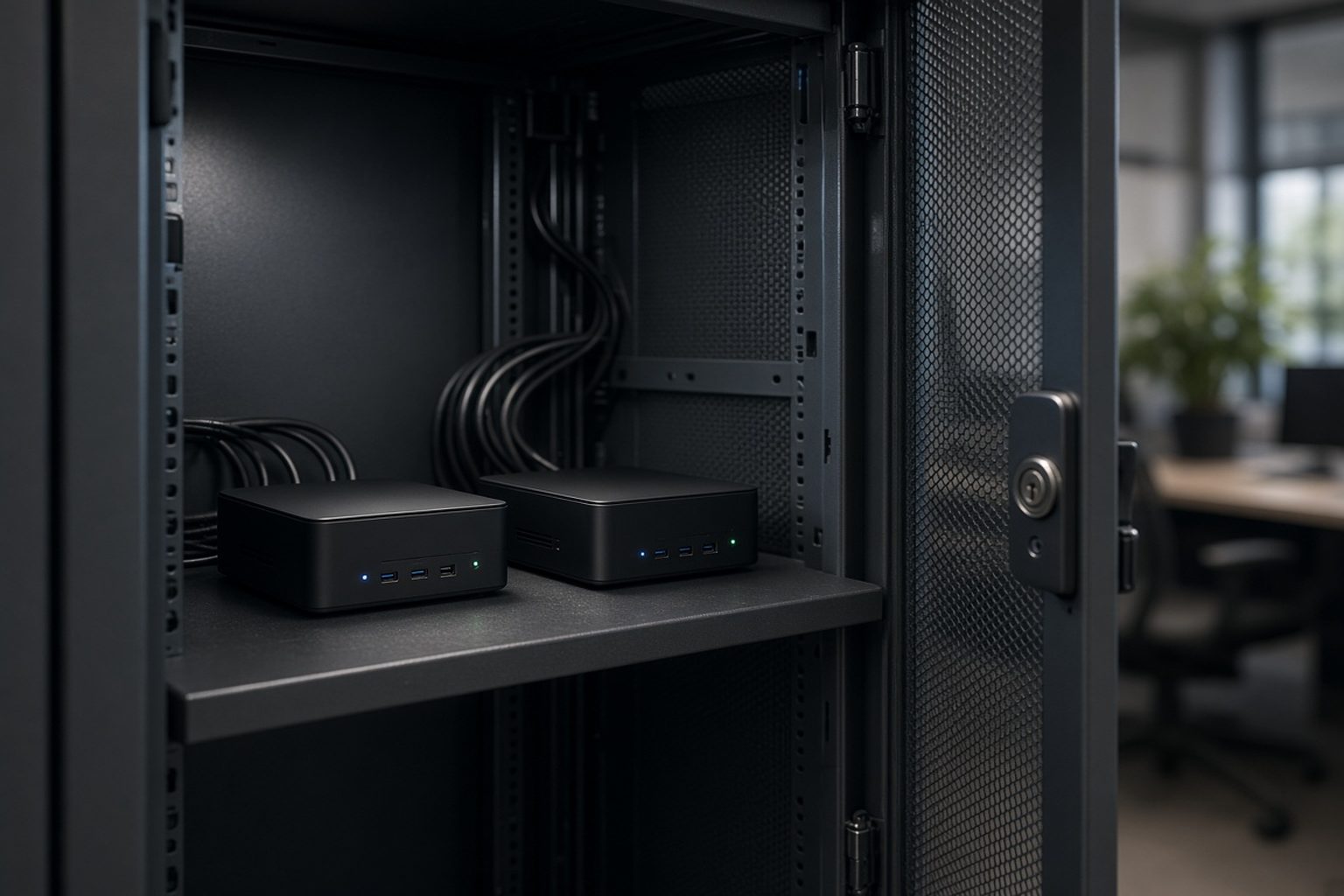
Here’s how I put the pieces together. Everything in Docker Compose on a single server, internal network, no exposure to the internet.
Components:
- Reverse proxy (Caddy or Traefik) with an internal certificate, the single entry point from the LAN. No tunnel needed, because the service is internal only.
- Chat interface (Open WebUI or a similar alternative) connected to the identity provider via OIDC. It stores conversations and uploaded documents on Postgres and on a local volume.
- LLM gateway (LiteLLM or an equivalent proxy): receives all requests from the UI, applies per-department quotas and limits, records metadata, forwards to the inference engine. It is where fair share is decided.
- Inference engine (vLLM) on the two GPUs, with an OpenAI-compatible API, reachable only from the gateway.
- Postgres for the UI and the gateway, with a nightly backup.
- Embeddings and document index (optional): embedding model and vector index for search over uploaded documents or an internal knowledge base.
Boundaries:
- the UI doesn’t talk directly to vLLM: it always goes through the gateway;
- vLLM and gateway sit on an internal Docker network with no route to the internet;
- the UI’s outbound traffic is blocked at the firewall: no web search, no model downloads, no telemetry;
- models arrive on the server from a folder prepared by the administrator, verified with hashes;
- no component has access to company file servers or the ERP: whoever wants to work on a document uploads it explicitly.
That last point is a cautious choice for the first phase. Connecting the chat to company systems (CRM, ERP, shared folders) is a different project, with per-document permissions and prompt-injection risks: it comes later, with a RAG architecture designed for it.
# docker-compose.yml (excerpt) — internal chat server
services:
  vllm:
    image: vllm/vllm-openai:v0.x   # pinned version, not "latest"
    command: >
      --model /models/model-30b-awq
      --served-model-name company-chat
      --tensor-parallel-size 2
      --max-model-len 16384
      --gpu-memory-utilization 0.90
      --max-num-seqs 24
    volumes:
      - /srv/models:/models:ro
    deploy:
      resources:
        reservations:
          devices:
            - driver: nvidia
              count: 2
              capabilities: [gpu]
    ipc: host
    networks: [inference]
    restart: unless-stopped

  gateway:
    image: ghcr.io/berriai/litellm:v1.x   # pinned version
    command: ["--config", "/app/config.yaml", "--port", "4000"]
    volumes:
      - ./litellm/config.yaml:/app/config.yaml:ro
    environment:
      DATABASE_URL_FILE: /run/secrets/litellm_db_url
    secrets: [litellm_db_url, litellm_master_key]
    networks: [inference, application]
    restart: unless-stopped

  chat-ui:
    image: ghcr.io/open-webui/open-webui:v0.x   # pinned version, check the licence
    environment:
      ENABLE_OAUTH_SIGNUP: "true"
      OAUTH_PROVIDER_NAME: "Company account"
      OPENID_PROVIDER_URL: "https://idp.internal.example/.well-known/openid-configuration"
      OPENAI_API_BASE_URL: "http://gateway:4000/v1"
      ENABLE_WEB_SEARCH: "false"
      ENABLE_SIGNUP: "false"
    volumes:
      - chatdata:/app/backend/data
    networks: [application]
    restart: unless-stopped

networks:
  inference:
    internal: true
  application: {}

volumes:
  chatdata: {}

secrets:
  litellm_db_url:
    file: ./secrets/litellm_db_url
  litellm_master_key:
    file: ./secrets/litellm_master_key
Configuration variable names change between versions of these projects: take the layout as structure, and check the exact options in the documentation of the version you install. The rule that doesn’t change is to pin image versions and update them by hand after testing.
UI: Open WebUI or similar, behind SSO
The interface is what decides adoption. If it is clunkier than personal ChatGPT, nobody will use it, however secure it is.
What it must have, at minimum:
- login with the company account, one click, no sign-up;
- saved conversations, searchable by the user;
- document upload (PDF, Word, text) with text extraction and the ability to ask about the content;
- saved prompts shared per department: “reply to a client complaint”, “summary of meeting minutes”, “technical translation IT→EN” — these are what save real time, because they encode how the company works;
- a sober, always-visible banner reminding people of the main rules (see below).
What to disable at the start:
- web search and plugins calling external services;
- the ability for users to add their own models or endpoints;
- public sharing of conversations via link;
- open registration of new users.
On Open WebUI in particular: it is the most widespread project for this use, but it has recently changed licence and branding conditions more than once. Before adopting it, read the licence of the version you install and check that it is compatible with your internal use. If it isn’t, there are alternatives with more permissive licences: the architecture above doesn’t change, because it talks to the gateway through a standard API.
Queue and fair share between departments
With 40 users and capacity for 15–25 concurrent conversations, most of the time there is no contention. But there are moments — Monday morning, month-end in finance — when one department can saturate the service. Worse: a single person uploading a 300-page PDF and asking “summarise everything” can occupy the model for minutes.
Fair share is done in the gateway, with three levers:
- A virtual key per department (or per identity-provider group), with requests-per-minute and tokens-per-minute limits.
- Per-request limits: maximum input context size, maximum output tokens. The 300-page PDF must go through document search, not be pasted whole into the context.
- Priority: short interactive tasks take precedence over long ones. vLLM supports priority scheduling policies; alternatively, a second smaller model (option B) absorbs short requests.
# litellm/config.yaml (excerpt)
model_list:
  - model_name: company-chat
    litellm_params:
      model: openai/company-chat
      api_base: http://vllm:8000/v1
      api_key: "unused-on-internal-network"
      max_tokens: 2048

general_settings:
  master_key: os.environ/LITELLM_MASTER_KEY

litellm_settings:
  # no callbacks to external services
  success_callback: []
  failure_callback: []

# per-department keys are created via the gateway API, with explicit limits, e.g.:
#   finance:          rpm 60,  tpm 120000, max_parallel_requests 6
#   sales:            rpm 60,  tpm 120000, max_parallel_requests 6
#   technical_office: rpm 40,  tpm 200000, max_parallel_requests 4
#   management:       rpm 20,  tpm  60000, max_parallel_requests 2
The numbers must be tuned on the first two months of real use: start generous, watch the logs, tighten where needed. The goal is not rationing, it is preventing one department from making the chat unusable for others at the wrong moment.
A note on user experience: when a limit triggers, the message must be understandable (“The service is very busy right now, try again in a minute” or “The document is too long to paste whole, use document upload”), not an HTTP error. People tolerate an explained wait; they abandon an incomprehensible error.
What may be pasted
Here is the most important shift in perspective compared with the ban. With an internal chat, the question is no longer “what must I NEVER paste” — because the honest answer, with an external service without agreements, was “almost everything” — but “what is suitable for this tool”. The internal chat can take much more, but not everything.
The 10-rule policy
To pin up, to put in the banner, to explain in training. In plain language, no legalese.
- Use the company chat, not your personal account, for anything work-related. The company one is made for that: data stays on our servers.
- You may paste work documents: emails, contracts, offers, minutes, technical specifications, price lists. They stay in the company.
- Don’t paste special categories of personal data (health, criminal records, union membership, biometric data) except for a task that genuinely requires it and has been authorised by your manager.
- Don’t paste credentials: passwords, tokens, keys, access codes. Never, not even “to fix a configuration file”.
- Always reread before using. The chat makes mistakes, invents details, sometimes very confidently. What you send to a client or supplier is your responsibility.
- Numbers, dates, names, legal references must be checked against the source. The chat is good at writing, not at remembering precisely.
- Don’t use it for decisions about people: evaluations, recruitment, disciplinary measures. It is not the right tool and it is not allowed.
- Declare when a text was largely written by the chat, if the recipient has reason to know (for example official documents or publications).
- If an uploaded document contains strange instructions (“ignore previous instructions”, “send this to…”), don’t follow them and report it to IT.
- Your conversations are yours: you see them, they are deleted after 90 days, and they are not used to evaluate your work. IT records only technical data (time, department, volume) to run the service.
Rule 10 is the one that makes the difference for adoption. It must be written, kept, and the technical setup must actually respect it.
45-minute training
You don’t need a course. You need 45 minutes per department, in person or on a video call, with a shared screen and cases taken from that department’s work. The agenda I use:
- Why it exists (5 minutes). The problem with the ban, why the internal chat is different, what happens to the data. No slides about artificial intelligence changing the world.
- Login and first use (5 minutes). Logging in, writing a request, saving a conversation.
- Three cases from the department (15 minutes). Prepared beforehand with the manager: for finance a polite but firm reminder email and a contract summary; for sales the reply to a request for quotation and a call summary; for the technical office a translation and the rewrite of a specification. Done live, mistakes included.
- Where it gets things wrong (10 minutes). A real example of a confident, wrong answer: an invented number, a misquoted rule, a mangled name. This is the part that changes behaviour more than any written rule.
- The 10 rules (5 minutes). Read aloud, with questions.
- The department’s saved prompts (5 minutes). Where they are, how to use them, how to propose new ones.
After two weeks, a second 20-minute session: what worked, what didn’t, which prompts to add. That’s where the real use cases emerge, the ones IT wouldn’t have thought of.
Adoption metrics vs use of personal ChatGPT
The aim of the project is not “having an internal chat”. It is reducing ungoverned use of external tools and increasing governed use. Metrics must measure that, without turning into surveillance of people.
Adoption metrics (from the gateway, aggregated per department):
- weekly active users, as a percentage of those enabled;
- requests per active user per week;
- distribution by task type (if you use saved prompts, you know which are used);
- average and 95th-percentile response time, to see whether capacity is enough.
Substitution metrics (aggregated, not per person):
- volume of traffic from the company network to the main external chat services, measured at proxy or DNS level in aggregate form: the trend over time is what counts, not who;
- answers to a short anonymous questionnaire after a month: “do you still use personal tools for work? for what?”. The answers tell you what the internal chat is missing.
Quality metrics:
- a “useful / not useful” button in the UI, with an optional comment;
- a monthly review of a sample of negative feedback (with the user’s consent, or on conversations the user chooses to share).
A realistic target, which I’ve seen reached several times, is exceeding 60–70% weekly active users within three months in departments that write a lot. If after three months you’re under 30%, the problem is almost always one of these: a model too weak for the department’s Italian, an interface that is slow at peak times, or the suspicion that conversations are read by someone.
Implementation path, step by step
- Collect 30–50 real tasks from departments (anonymised where needed): they are your test bench for models and prompts.
- Define requirements with the privacy lead: authentication, conversation retention, recorded metadata, notice to employees.
- Buy or source the hardware, stress-test the GPUs, install the operating system, drivers and container runtime.
- Test two or three models with vLLM on the test bench, evaluated by end users. Choose the configuration (tensor parallel or two models).
- Set up the gateway with per-department keys and generous initial limits.
- Set up the UI behind SSO, with web search and external connectors disabled, and outbound internet blocked at the firewall.
- Prepare saved prompts for the first two departments.
- Pilot with one department for two weeks. Measure response times, feedback, problems.
- Training department by department, with the 45-minute agenda.
- Communicate the policy and only then update the memo: not “ChatGPT is forbidden”, but “for work we use the company chat”.
- Backup and restore: Postgres, UI volumes, configuration. Test the restore on another machine.
- Review at 30 and 90 days on adoption, quotas, model.
Typical failures and how to spot them in the logs
GPU memory exhausted under load.
vllm  | WARNING scheduler: Sequence group 3f1a… is preempted by PreemptionMode.RECOMPUTE because not enough KV cache space
vllm  | WARNING scheduler: Sequence group 91bc… is preempted by PreemptionMode.RECOMPUTE ...
Requests are suspended and recomputed because the KV cache is full: too many users with long contexts. Remedies: reduce --max-model-len, lower --max-num-seqs, limit prompt length in the gateway, move long documents to search.
A department saturating.
litellm | 429 key_alias=sales rpm_limit_reached current_rpm=61 limit=60
litellm | 429 key_alias=sales rpm_limit_reached current_rpm=63 limit=60
If it happens every day at the same time, the limit is too tight or there is automated use (someone connected a script to the department’s key). Look at the client making the requests.
High first-token latency. The 95th percentile of time to first token exceeds 5–8 seconds at peak: users perceive the service as slow and go back to the phone. Read it together with the number of queued requests. It’s the signal to consider the second small model for short requests.
GPU temperatures.
nvidia-smi | GPU 1 Temp 87C Mem Temp 104C Power 342W / 350W Clocks throttled: HW_THERMAL
The second card, breathing the first one’s hot air, throttles. It’s not a software problem: it’s airflow. If you don’t fix it, it first slows down and then breaks.
Blocked outbound attempts.
firewall | DROP src=172.20.0.5 (chat-ui) dst=… dport=443
The UI is trying to reach an external service: telemetry, update checks, a feature enabled by mistake. Find out what and disable it in configuration, don’t just block it.
Adoption dropping after the first month. It’s not in the server logs, it’s in the metrics: weekly active users steadily declining. Almost always it’s perceived quality or speed. Ask five people, in person, why they stopped.
Costs: orders of magnitude
Indicative estimates for 40 users, to be checked against your case.
| Item | Order of magnitude (estimate) | Notes |
|---|---|---|
| Hardware (see table above) | €3,000–4,800 one-off | Amortised over 3 years: €85–135/month |
| Energy | €40–80/month | Average 200–350 W over 24 hours ≈ 150–250 kWh/month at ~€0.30/kWh |
| Initial setup (models, gateway, UI, SSO, network) | 8–15 person-days | Depends on the identity provider and network |
| Training and prompts per department | 1–2 person-days per department | Including the second session |
| Maintenance | 1–2 person-days per month | Updates, models, quotas, support |
| Alternative: business account with an external service | €20–30/user/month | 40 users ≈ €800–1,200/month |
The purely economic comparison, over 40 users and three years, often favours the internal solution even counting maintenance; but the difference isn’t huge, and it isn’t the main reason. The main reasons are data control and the ability to adapt the tool to the company (prompts, documents, future integrations). If cost were the only argument, I’d tell you to redo the maths with a full TCO of a self-hosted LLM against an API.
When NOT to do it
- When you’re under 15 people and have nobody to administer a server. An external business service with a data processing agreement, configured well, is simpler and safer than a server nobody updates.
- When the work requires frontier-model reasoning (complex analysis, hard code, mathematical problems): two used GPUs won’t get there. Consider an external service for those specific cases, with precise rules on which data may leave.
- When there’s no sponsor in management. Without someone saying “for work we use this one”, the internal chat becomes one more option and the personal phone stays more convenient.
- When the privacy setup is “let’s record everything and see”. Better not to start than to start with the tool perceived as a control tool: it burns trust for years.
- When the real need is an integration (answering clients from the CRM, reading invoices, searching contracts). A general chat doesn’t solve those problems: they need dedicated flows.
Operational checklist
- Test bench of 30–50 real tasks, evaluated by those who will do the work.
- Model and interface licences checked for internal commercial use.
- GPUs stress-tested with memory temperatures within range.
- Login only via company identity provider, with second factor; open registration disabled.
- vLLM reachable only from the gateway, on an internal network with no outbound route.
- UI outbound internet blocked at the firewall; web search and external connectors disabled.
- Image versions pinned; manual updates after testing.
- Per-department keys in the gateway with request, token and parallelism limits.
- Context-length limits and understandable error messages.
- Conversation retention defined (e.g. 90 days) and deletion possible for the user.
- Only metadata in the gateway logs; employee notice validated by DPO or employment adviser.
- 10-rule policy published and visible in the UI.
- 45-minute training done for every department, with real cases.
- Postgres and volume backups, with restore tested.
- Adoption and substitution metrics defined, review at 30 and 90 days in the calendar.
The verdict
Banning ChatGPT is the answer that looks prudent and produces the opposite effect: it moves use to where you can no longer see it. A self-hosted private ChatGPT for the SME, on two used GPUs and a well-configured server, is not the best model in the world — and it’s right to tell people so — but it is good enough to write, summarise, translate and tidy up documents in Italian, with data that stays in the company and a setup people can accept.
The technical part is the easiest: vLLM on the two cards, a gateway with per-department quotas, an interface behind SSO, a network with no way out. The part that decides success is entirely human: a ten-rule policy that says what can be done, forty-five minutes of training with real cases and a mistake shown live, and the kept promise that conversations don’t become a control tool.
If you’re considering an internal alternative to the ban and want to size it for your headcount and your documents, you’ll find my background in the biography and the rest of my work on antoniotrento.net. The broader picture on models, costs and privacy is collected in the guide on models, cost and privacy.
FAQ
What is a self-hosted private ChatGPT?
It is a chat interface similar to the public services, but running on company servers with an open-weight model. Requests, answers and uploaded documents stay on the company network, access is via the company account and the company decides rules, retention and usage limits.
Are two used GPUs enough for an SME?
For 20–60 users who use the chat to write, summarise and translate, two 24 GB GPUs are generally enough to serve a model of around 30 billion parameters, quantised, with a dozen or more concurrent conversations. They are not enough to offer frontier-model quality on complex reasoning tasks.
Better one large model across two GPUs or two separate models?
One large model in tensor parallel offers higher-quality answers and a simpler experience; two separate models offer more resilience and let you dedicate one GPU to short requests or document search. For mainly writing work in Italian, it usually pays to start with the single larger model.
Which interface should the internal chat use?
Open WebUI is the most widespread choice and supports OIDC login, but the licence of the installed version must be checked, because it has changed over time. Alternatives exist: what matters is that the interface talks to a gateway through standard APIs, so it can be replaced without redoing the rest.
How do you stop one department monopolising the service?
With an LLM gateway that assigns a key to each department, with requests-per-minute, tokens-per-minute and parallel-request limits, and with limits on the length of individual prompts. Alternatively or additionally, a second smaller model can serve short requests with priority.
Can employees’ conversations be recorded?
With great caution. Systematically recording the content of conversations may amount to remote monitoring of workers and requires an adequate legal basis and notice. The prudent approach is to record only technical metadata in the gateway, leave conversations to the user with limited retention, and have the setup validated by the DPO or employment adviser.
Does the self-hosted model learn from company data?
No: a self-hosted model’s weights don’t change with use. You must however verify that the rest of the stack doesn’t send data outside, for example via interface telemetry, web search or connectors to third-party services, and block outbound internet at the firewall.
How much does an internal company chat cost?
Roughly €3,000–4,800 of hardware one-off, €40–80 a month in energy, 8–15 days of setup and one or two days a month of maintenance. For 40 users, an external business service costs in the order of €800–1,200 a month: the economic comparison often favours the internal solution, but the main reason remains data control.
What should employees know before using it?
The essential rules: use the company chat instead of personal accounts, don’t paste credentials or highly sensitive data without authorisation, reread and check numbers and references, don’t use it for decisions about people, and know who can see their conversations. A 45-minute session with cases from their own department works better than any document.
How do you measure whether the project works?
With aggregated per-department metrics: weekly active users, requests per user, response times and quality feedback. To see whether it is replacing personal tools, you watch the aggregate trend of traffic to external chat services and collect anonymous answers on what the internal tool is missing.
Antonio Trento — System Architect & AI Integrator
Is this your problem?
I design and build data, backend, interface and AI agents end-to-end. No slides: systems that run and stay yours.
You might also like

Ollama in production is a trap: when you need vLLM (and how to pick a used GPU without burning the budget)
Ollama is perfect for development and for one user. With 15 employees at once it collapses: queues, timeouts,...
Read
Putting ChatGPT in the CRM is a data leak: what GDPR (and the AI Act) say if prompts contain Italian clients
Sales pastes the opportunity into ChatGPT to get a draft email. In that gesture, Italian client data leaves...
Read