Ollama in production is a trap: when you need vLLM (and how to pick a used GPU without burning the budget)
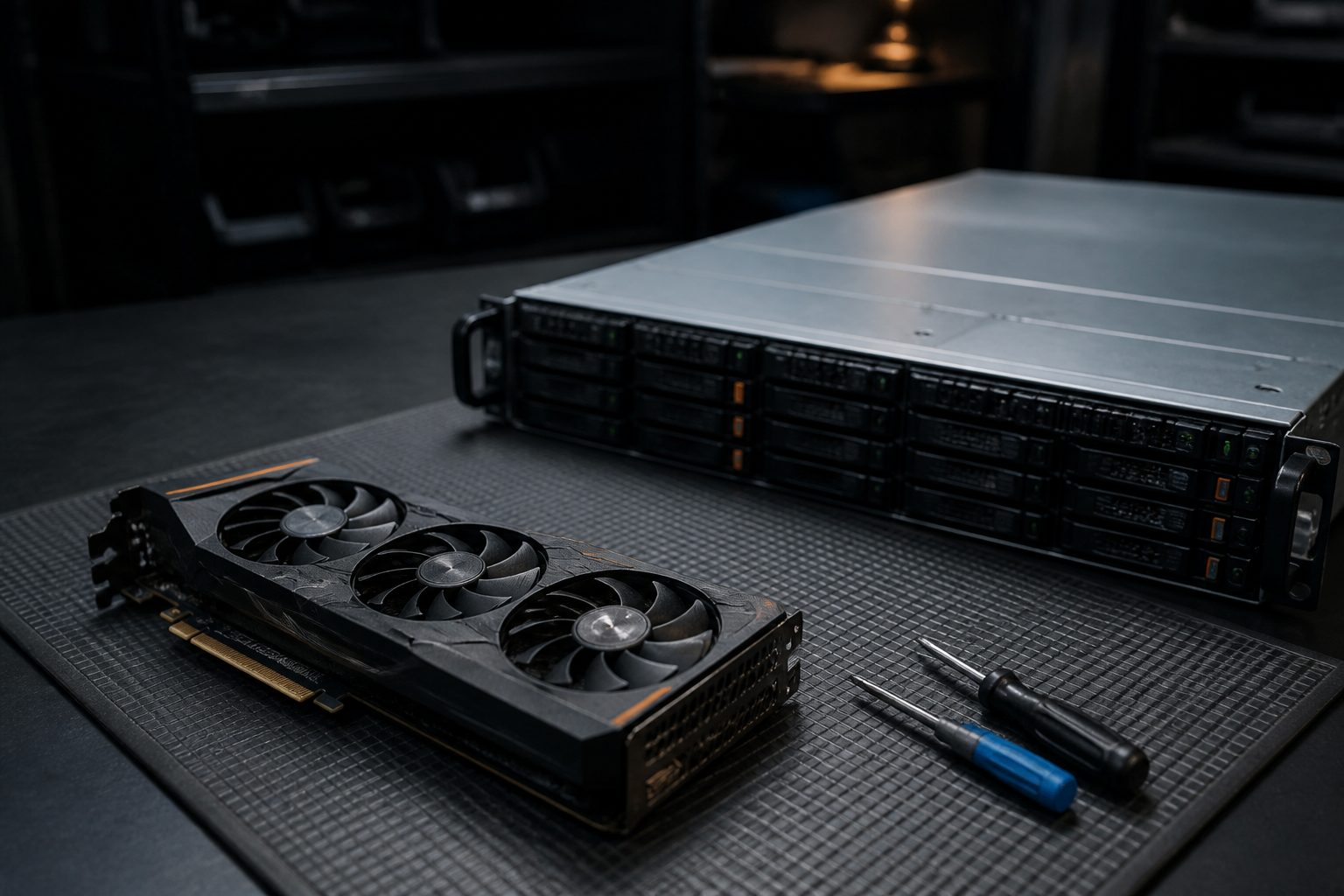
The trap: Ollama works perfectly until you’re the only one
You’ve stood up Ollama on your server, you’ve downloaded a model, it works. You wire it to your workflow, you try it, it answers well. You’re convinced: “I’ve got my LLM in-house, I’m set.” Then you put the system in production, fifteen employees start using it in the same half-hour, and the disaster hits: answers take thirty seconds, then a minute, then they time out, the queue stretches, and someone writes you “the AI doesn’t work.” It isn’t broken. It’s that Ollama wasn’t built for multi-user production, and you found out the hard way — with real users on your back.
This is the vLLM vs Ollama comparison in production, without YouTube reviews: architecture and numbers. Ollama is an excellent tool — for development, for prototyping, for a single user. But under real concurrency it stops being a server and becomes a bottleneck. vLLM is built for the opposite problem: serving many users at once with high throughput. In this article we look at where Ollama stops holding and why, what vLLM does differently (paged attention, continuous batching, OpenAI-compatible API), how much VRAM you actually need for the models you can run in Italy/EU, how to pick quantization, and — the part that hits the wallet — which used GPU to buy and what the total cost looks like over 12 months versus the cloud. With the production compose, the TCO table, and the precise criterion for knowing when to leave Ollama. Because “it works on my laptop” and “it holds fifteen people at once” are two different worlds.
What Ollama promises and where it stops being a server
Give Ollama what is Ollama’s, because it is a great tool in its domain. Ollama is built on llama.cpp, uses models in GGUF format, and has one enormous merit: simplicity. One command to download a model, one command to run it, an API ready. For development, for trying models, for a personal assistant, for a single user or very few, it is perfect — and there is nothing wrong with using it there. The first fence of a sovereign stack often starts exactly with Ollama, and it is the right choice to begin.
The problem is what happens under concurrency. Ollama, by default, serves one request at a time well. You can raise parallelism (with variables like OLLAMA_NUM_PARALLEL), but the execution model is not optimised to squeeze a GPU with many users at once. When concurrent requests arrive, this is what happens:
- Requests queue up. Whoever arrives fourth waits for the first three to finish. Perceived latency explodes: it isn’t the model that’s slow, it’s the queue.
- The GPU is used badly. Serving few requests at a time, a large part of the GPU’s compute sits unused while users wait. You pay for a GPU and you use a fraction of it.
- Timeouts. If the queue is long, requests at the back expire before they are served. The user sees an error, not a slow answer.
The architectural point is this: Ollama is a runtime, not a multi-user production server. That isn’t a defect — it’s another category of tool. Confusing “it runs on my server” with “it holds my company” is the trap. The signal that you’ve hit it is clear: as soon as more people use it together, latency becomes unacceptable. From there, either you accept that it is a tool for a few, or you move to something built for concurrency. That something, today, is vLLM.
vLLM: paged attention, continuous batching, OpenAI-compatible API
vLLM solves exactly the problem where Ollama stops: serving many requests together, using the GPU to the maximum. It does it with two technical innovations worth understanding, because they are the reason for the numbers.
- PagedAttention. The bottleneck in serving an LLM is the GPU memory occupied by the “KV cache” — the state the model keeps for every conversation in progress. Managed naively, it wastes a huge amount of VRAM and limits how many requests you can serve together. PagedAttention manages this memory the way an operating system manages RAM (in “pages”), cutting the waste enormously. Result: many more concurrent requests in the same VRAM.
- Continuous batching. Instead of waiting for a group of requests to finish before starting the next, vLLM adds and removes requests from the running “batch” continuously, as they arrive and finish. The GPU never sits idle waiting: it always works at full on all active requests. This is where throughput (total tokens per second served) jumps compared to serving one request at a time.
On top of that, vLLM exposes an OpenAI-compatible API (/v1/chat/completions): that means the code and the tools that talk to OpenAI can point at your local vLLM by changing only the URL, without rewriting anything. It is a huge practical advantage for migrating from cloud to local.
The price of all this is complexity: vLLM needs a more demanding configuration than Ollama, runs on NVIDIA GPUs with proper drivers, and uses different quantization formats (AWQ/GPTQ instead of GGUF). It isn’t “one command and done.” But it is what turns a GPU into a real production LLM server. The practical rule: Ollama for development and for few users; vLLM when concurrency is real.
VRAM: 8, 12, 24 GB and which models actually hold
The question that decides everything, even before Ollama vs vLLM, is: how much VRAM do you have? Because VRAM determines which model you can run and with how much concurrency. Let’s make the orders of magnitude clear (estimates, they depend on quantization, context length and batch).
| VRAM | What you can run | Notes |
|---|---|---|
| 8 GB | 7-8B models quantized to 4-bit (~5-6 GB weights) | OK for one user or a few, short context. Little margin for KV cache and batch. Embeddings: comfortable. |
| 12 GB | 7-8B with more room, 13-14B tight (4-bit) | An 8B model with decent context and a bit of concurrency. The “serious” minimum for a small team. |
| 24 GB (3090/4090/A5000) | 14B comfortable, 32B quantized tight, 7-8B with a large batch and long context | The band where multi-user production with vLLM becomes realistic. The “sweet spot” for an SME. |
Two things to understand, because they are the most common sources of surprise:
- VRAM isn’t only for the model’s “weights.” You also need it for the KV cache of every request in progress and for the context (more tokens in/out = more memory). A model that “fits” in 6 GB when idle can fail to hold fifteen concurrent requests with long context on the same card. That’s why for multi-user production you aim at 24 GB even for models that would “fit” in less.
- Italian/EU models. To work well on Italian you can use both good open multilingual models (which by now hold Italian well) and specialised EU models. The sovereign point isn’t “which flag the model has”, but that the weights run on your GPU and the data doesn’t leave. A solid multilingual 8-14B model, quantized, on your card, is a solid base for most SME tasks.
The rule: size the model to the VRAM you have, not to the model you wish you had. An 8B that runs fluid and holds concurrency beats a 32B that goes into swap and times out. And for multi-user production, 24 GB is the band to start from.
Quantization: GGUF versus AWQ/GPTQ, quality versus speed
Quantization is the way to fit a model into less VRAM by reducing the precision of its numbers (from 16 bit to 8, 4 or less). It is what lets you run a 14B on a “consumer” card. But not all quantizations are equal, and it is tied to the Ollama/vLLM choice.
- GGUF (the llama.cpp format, therefore Ollama’s). Flexible: it can split the model between GPU and CPU, it runs even on modest hardware, it has many quantization levels (Q4_K_M, Q5, Q8…). Great for flexibility and for the single user. But it is not designed for maximum GPU throughput under concurrency.
- AWQ / GPTQ (the formats vLLM uses well). 4-bit quantizations designed for fast GPU inference, “aware” of which weights matter more to preserve quality. They are the choice for production throughput with vLLM.
The quality/speed/VRAM trade-off, in practice:
- 4-bit (Q4 / AWQ): the best ratio for most cases. You fit larger models, with a small quality loss that is often negligible on practical tasks.
- 8-bit: closer to full quality, but it occupies more VRAM. It makes sense if you have margin and the task is delicate.
- Full precision (FP16): maximum quality, maximum VRAM. Rarely necessary in an SME if 4-bit does the job.
The honest choice: start from 4-bit (AWQ for vLLM in production, Q4 for Ollama in development), and raise precision only if, on your evaluation set, you notice a quality loss that matters. Don’t pay VRAM (and therefore more expensive GPUs) for a precision that on your tasks makes no measurable difference. As with RAG, the criterion is always measure on your data, not follow the biggest number.
One user versus 15 at once: queues, timeouts and throughput
Back to the heart of the problem, because it is the economic reason for everything. The difference between one user and fifteen is not linear: it is a change of regime.
With one user, what counts is latency: how long a single answer takes. Ollama is excellent here: it serves your request using the GPU, and the answer arrives. No queue, no problem.
With fifteen users at once, what counts is throughput: how many tokens per second in total the GPU can serve, distributed among everyone. And here:
- With Ollama, requests queue up. If one answer takes 10 seconds and 15 arrive together, the last one waits over two minutes — and probably times out. The GPU serves few at a time and sits underused between turns.
- With vLLM, continuous batching serves all fifteen together, squeezing the GPU. The latency of a single answer rises a bit versus the isolated case (the GPU is shared), but nobody waits in a two-minute queue and nobody times out. Total throughput is many times higher.
The number you have to watch in production isn’t “how fast a single answer is on its own”, but how many concurrent requests I hold before latency becomes unacceptable. That is your real capacity limit. And you guard it with two parameters: how many concurrent “seats” you configure (max-num-seqs in vLLM) and how much context you allow (max-model-len) — because more context per request means fewer concurrent requests in the same VRAM. Sizing these two numbers to your GPU and your load is half the work of putting an LLM in production.
A sizing example, in concrete terms
Let’s put numbers on a typical case: a company with 15 employees who use an internal assistant (RAG on company documents + some extraction), not all together continuously but with peaks of 5-8 concurrent requests in the core hours, with answers of a few hundred tokens and medium contexts. How you size it.
- Model and VRAM. A good multilingual 8-14B model quantized to 4-bit is more than adequate for these tasks. On an RTX 3090 (24 GB) it fits with margin for the KV cache of the concurrent peaks and a context of ~8k tokens.
- Runtime. With peaks of 5-8 requests together, Ollama would queue and push latency up: this is a vLLM case. You set
--max-num-seqs 8(covers the peak) and--max-model-len 8192(adequate context without wasting VRAM). - Capacity. With these parameters on the 3090, the peak of 8 requests is served in a continuous batch without unacceptable queues. If peaks grew to a stable 15-20 concurrent, you would evaluate a second card or a more capacious GPU.
- Cost. ~€800 one-off for the used 3090 + electricity: over 12 months, a fraction of a continuous cloud fee — and the company documents don’t leave the house.
The point of the walkthrough is that sizing isn’t by gut: you start from the real concurrent users and the context, you pick VRAM and model accordingly, and you tune max-num-seqs/max-model-len to those numbers. Change the load (more users, longer contexts, heavier tasks) and redo the count — it is a calculation, not a bet.
The production compose: healthcheck, reverse proxy, limits
Here is a vLLM docker-compose.yml designed for production, with the pieces that Ollama-and-go doesn’t give you: healthcheck, port closed behind a reverse proxy, explicit limits.
services:
  vllm:
    image: vllm/vllm-openai:latest
    command: >
      --model TheOrg/modello-istruito-AWQ
      --quantization awq
      --max-model-len 8192
      --gpu-memory-utilization 0.90
      --max-num-seqs 16
    environment:
      HUGGING_FACE_HUB_TOKEN: ${HF_TOKEN}
    ports:
      - "127.0.0.1:8000:8000"   # loopback only: behind reverse proxy
    deploy:
      resources:
        reservations:
          devices:
            - driver: nvidia
              count: 1
              capabilities: [gpu]
    healthcheck:
      test: ["CMD", "curl", "-f", "http://localhost:8000/health"]
      interval: 30s
      timeout: 10s
      retries: 3
    restart: unless-stopped
The parameters that count, and why:
--max-num-seqs 16: how many concurrent requests at most. Your capacity limit: tune it to VRAM and to the real load.--max-model-len 8192: the maximum context length. Higher = more memory per request = less concurrency. Don’t set it huge “to be safe”: it costs VRAM that you take away from concurrent seats.--gpu-memory-utilization 0.90: how much VRAM vLLM can use. Leaving a margin avoids crashes from full memory.- Port on
127.0.0.1: as for the whole sovereign stack, not exposed directly. In front goes a reverse proxy (Caddy/Nginx) with HTTPS and authentication. healthcheck: fundamental in production. If vLLM hangs, Docker (or the orchestrator) knows and restarts it, instead of leaving users slamming into a dead service.
This is the level of care that separates “I got an LLM running” from “I have an LLM service in production”: explicit limits, monitored health, controlled access. The same principles of the closed fence of a sovereign stack applied to serving the model.
Used GPU versus cloud GPU: the 12-month TCO
Now the money, which is why this article exists. Buying a GPU costs; renting it in the cloud costs differently. What is the total cost (TCO) over 12 months? Orders of magnitude, declared estimates, used-market prices that vary.
| Option | Upfront cost | Monthly cost | Notes |
|---|---|---|---|
| Used RTX 3090 (24 GB) | ~€700-900 | electricity (tens of €) | The best VRAM/price ratio to start seriously. 24 GB at consumer price. |
| RTX 4090 (24 GB) | ~€1,500-1,900 | electricity | Faster than the 3090; same VRAM. Makes sense if latency counts and the budget is there. |
| RTX A5000 (24 GB, workstation) | ~€1,500-2,500 | electricity | Blower (cooling suited to racks), often more “datacenter.” For whoever puts it in a real server. |
| Cloud GPU 24 GB (L4/A10 and similar) | 0 | ~€150-500/month if on continuously | Zero CapEx, but the continuous fee adds up: over 12 months it can exceed the cost of a bought card. |
The 12-month TCO reasoning:
- Continuous use (the service is always on for the company): on-premise almost always wins. A used 3090 at ~€800 plus electricity, over 12 months, costs much less than a cloud fee of a few hundred euros a month multiplied by twelve. After the first year, the card is amortised and you keep paying only electricity.
- Intermittent or peak use (you only need a few hours a day or occasional batches): cloud GPU can make sense, because you pay only when you turn it on. Keeping a card idle 90% of the time is wasted CapEx.
- Test/uncertainty phase: the cloud is excellent to try without committing, then you evaluate whether the load justifies the purchase.
The economic rule: if the LLM serves the company continuously, buy (used is perfectly fine); if it serves in bursts or you are still validating, rent. And remember the non-accounting advantage of sovereign on-premise: the data doesn’t leave, which for certain contexts is worth more than the TCO difference. The honest count also accounts for risk, not only euros — as for the whole guide to the sovereign stack and costs.
The rollback plan: when the model botches the JSON
Here is a specific, frequent failure that throws production into crisis, and that neither Ollama nor vLLM solve on their own: the model that botches structured output. Many workflows ask the LLM to return JSON (to pass it to another system). Local models, especially the smaller or heavily quantized ones, every so often return malformed JSON, with an extra field, or with text around it. If your system expects valid JSON and receives a broken one, the workflow snaps.
The rollback plan, in layers:
- Constrain the output at the source. vLLM (and others) support output constrained to a schema (grammar/guided decoding): the model is forced to produce valid JSON according to the schema. It is the first and best defence: you prevent instead of correcting.
- Always validate, never trust. After the answer, validate the JSON against the expected schema. If it is valid, proceed. If not, don’t pass broken stuff onward.
- Retry with a tighter prompt. If validation fails, retry once with a prompt that restates the format (and maybe with lower temperature). Often on the second attempt it comes out clean.
- Fallback to a more capable model. If the retry also fails, fallback to a larger model (or, for that single non-sensitive case, to a cloud model with the due cautions). Better a slow and correct answer than a broken workflow.
- Queue for a human as the last net. If nothing works, put the case in a queue for human review instead of proceeding with wrong data. The system degrades with grace, it doesn’t crash.
This layered plan — constrain, validate, retry, fallback, human — is what makes a local LLM reliable in production despite its fallibility. A system that assumes the model always produces perfect JSON is a system that will break; one that anticipates failure and has a plan, no. It is the same philosophy of idempotence and safety nets that holds up agents that execute real actions: design for when it gets it wrong, not for when it goes well.
What breaks in production (and how you read it from the logs)
The failures of a self-hosted LLM aren’t mysterious: they are almost always memory, concurrency or loading. Here’s how you recognise them from the logs before users notice.
CUDA out of memoryat startup or under load. Symptom: vLLM doesn’t start, or crashes when concurrent requests with long context arrive. Cause:max-model-lenormax-num-seqstoo high for the VRAM, orgpu-memory-utilizationat the maximum with no margin. Remedy: lower one of the two limits; the KV cache of many long requests didn’t fit. It is failure number one of whoever sizes with optimism.- Throughput that collapses under peak (preemption). Symptom: with many requests together the speed drops suddenly; in vLLM’s logs preemption/recompute messages appear. Cause: the KV cache fills up and vLLM has to “evict” and recompute requests. Remedy: less concurrency (
max-num-seqs), shorter context, or more VRAM. It is the signal that you are at the card’s capacity limit. - Infinite queue and timeouts (Ollama). Symptom: latency rises linearly with the number of users until they expire. Cause: requests queue up because the runtime serves few at a time. Remedy: it is the reason to move to vLLM — there is no Ollama tuning that solves an architecture problem.
- Very slow cold start. Symptom: the first request after a restart takes a long time. Cause: the model is loaded into VRAM on first use. Remedy: preload the model (warm-up at startup) and use the healthcheck so you don’t send traffic before it is ready.
- Quantization/format error at load. Symptom: vLLM refuses to start complaining about the model format. Cause: you pointed at a GGUF model with vLLM (which wants AWQ/GPTQ/FP16) or vice versa. Remedy: use the right format for the right runtime.
- Restart loop. Symptom: the container restarts in a cycle. In the logs you see the crash repeating. Cause: often OOM at load or wrong config. The healthcheck helps detect it, but the cause has to be read in the crash logs, not ignored with retries.
The principle: monitor occupied VRAM, queue length and response times. The vast majority of failures are VRAM or concurrency, and you read them in the logs and the metrics if you are watching them — not if you wait for a user to tell you “it doesn’t work.”
The exit criterion from Ollama
Let’s summarise in a sharp operational criterion — the one the title promises. Stay on Ollama as long as:
- Concurrent users are few (one, or a handful not simultaneous).
- You are in development or prototype, and simplicity is worth more than throughput.
- Latency under load is not yet a problem because the load isn’t there.
Leave Ollama and move to vLLM when even one of these applies:
- More users at once start seeing high latency or timeouts: it is signal number one.
- You need throughput (many tokens served per second distributed across many users), not only the speed of a single answer.
- You want to really squeeze the GPU you paid for, instead of using a fraction of it.
- You need a service with healthcheck, limits and a solid OpenAI-compatible API to integrate on top of in production.
The criterion in one sentence: when you stop being the only user and become a service, leave Ollama. It isn’t “Ollama is bad” — it is that it is the right tool for the wrong phase. Use it to build and try; move to vLLM when you put it in production for a team. Getting this transition wrong is the trap the article starts from: putting into multi-user production a tool born for a single user, and discovering it with users on your back.
Operational checklist before production
- I have estimated the real concurrent users and the acceptable latency.
- I have picked the right runtime: Ollama for dev/few, vLLM for multi-user production.
- The model fits in VRAM with margin for KV cache and context (24 GB for multi-user).
- 4-bit quantization as default (AWQ for vLLM), I raise only if quality on my set requires it.
max-num-seqsandmax-model-lentuned to the GPU and the load.- Port behind a reverse proxy with HTTPS and auth;
healthcheckactive. - Structured output constrained to the schema + validation + retry + fallback.
- TCO calculated over 12 months: I buy (continuous use) or I rent (burst use/test).
- I know how I monitor latency, queues and service health.
- The data doesn’t leave: the model runs in-house, consistent with the sovereign stack.
The verdict: Ollama to build, vLLM to serve
Ollama in multi-user production is a trap not because it is poor, but because it is the right tool for the wrong phase: perfect for developing and for one user, it collapses into queues and timeouts when fifteen people use it together. vLLM was born for the other problem — serving many with high throughput, thanks to paged attention and continuous batching — and with its OpenAI-compatible API it integrates where the cloud used to be. VRAM decides what you can run (24 GB the sweet spot for an SME), 4-bit quantization is the sensible default, and on 12-month TCO a used 24 GB GPU almost always beats the cloud fee for continuous use. The criterion is simple: when you stop being a user and become a service, leave Ollama. And whichever runtime you pick, the data stays in-house: that is the point of the sovereign stack.
This is a brick of the guide to models, costs and privacy of in-house AI. If you want to size GPU and runtime to your real load — how many users, which models, buy or rent — start from who I am and how I work or drop me a line at contacts.
FAQ
1. So Ollama is poor, then? No, it is excellent — in its domain: development, prototyping, a single user or very few. Its simplicity is unmatched to start. The problem is born only when you put it in multi-user production, where it wasn’t built to operate: there it queues requests and latency explodes.
2. What does vLLM do that Ollama doesn’t? It serves many concurrent requests squeezing the GPU, thanks to PagedAttention (it manages KV cache memory efficiently) and continuous batching (it adds and removes requests from the batch continuously, without leaving the GPU idle). It also has an OpenAI-compatible API, convenient for migrating from the cloud.
3. How much VRAM do I actually need? For one user or a few, 8-12 GB is enough for a quantized 7-8B model. For multi-user production aim at 24 GB (3090/4090/A5000): you need it not only for the weights but for the KV cache of every concurrent request and for the context. Size the model to the VRAM, not the other way around.
4. GGUF or AWQ/GPTQ? GGUF is the Ollama/llama.cpp format: flexible, it runs even on modest hardware, ideal for dev and a single user. AWQ/GPTQ are quantizations designed for fast GPU inference with vLLM: the choice for production throughput. As a rule, 4-bit as default, you raise precision only if quality on your set requires it.
5. Which used GPU do I buy? The used RTX 3090 (24 GB, ~€700-900) is the best VRAM/price ratio to start seriously. The 4090 is faster at the same VRAM if latency counts and the budget is there. The A5000 has cooling better suited to servers. For an SME, 24 GB is the band to start from.
6. Is it better to buy the GPU or use the cloud? If the LLM serves the company continuously, buy (even used): over 12 months a card at ~€800 plus electricity costs less than a continuous cloud fee, and after that it is amortised. If it serves in bursts or you are still validating, rent in the cloud and pay only when you turn it on. On top of that, on-premise keeps the data in-house.
7. What happens if the model returns broken JSON? Anticipate it with a layered plan: constrain the output to the schema at the source (guided decoding), always validate the JSON, retry with a tighter prompt if it fails, fallback to a more capable model, and as the last net put the case in a queue for a human. A system that assumes JSON is always perfect will break; one that anticipates failure won’t.
8. How many concurrent users does a 24 GB GPU hold with vLLM?
It depends on the model, the quantization, the context length and the parameters (max-num-seqs, max-model-len). There isn’t a fixed number: you measure it on your load. The point is that vLLM holds many more than Ollama on the same card, because it uses the GPU efficiently instead of queuing.
9. Can I use vLLM with Italian? Yes: vLLM serves the model you give it, and there are excellent open multilingual models that hold Italian well, plus EU models. The “sovereign” point isn’t the model’s nationality, but that it runs on your GPU with data that doesn’t leave. Evaluate quality on Italian with your test set.
10. Do I have to pick only one? No: it is common to use Ollama in development (simple, fast to iterate) and vLLM in production (to hold the users). What matters is not making the inverse error — putting Ollama in multi-user production — which is the trap everything starts from. Build with one, serve with the other.
Antonio Trento — System Architect & AI Integrator
Is this your problem?
I design and build data, backend, interface and AI agents end-to-end. No slides: systems that run and stay yours.
You might also like

Why your n8n workflow with GPT-4o is sending client data to OpenAI (and how to close it in Docker in 90 minutes)
You self-host n8n on your VPS and think you're GDPR-ok. But the OpenAI node sends body, attachments and...
Read
RAG on PostgreSQL with pgvector: query 10,000 Italian e-invoices without Pinecone and without the cloud
A chatbot on invoice PDFs hallucinates amounts. To query your FatturaPA you need a RAG that respects the...
Read